
Kalimat, the Islamic app that stays with you every day
Quran verses, hadith, supplications, athar and scholars' sayings. A calm reading experience with no ads, plus widgets and reminders on iPhone and Android.


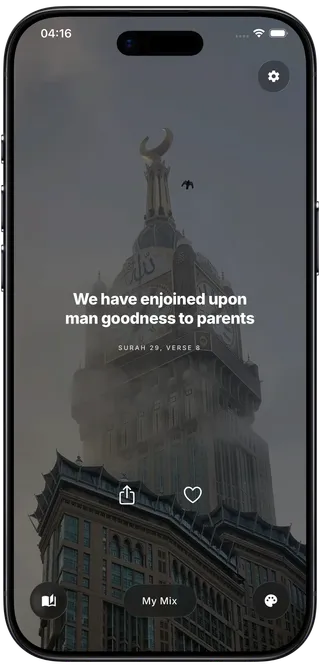
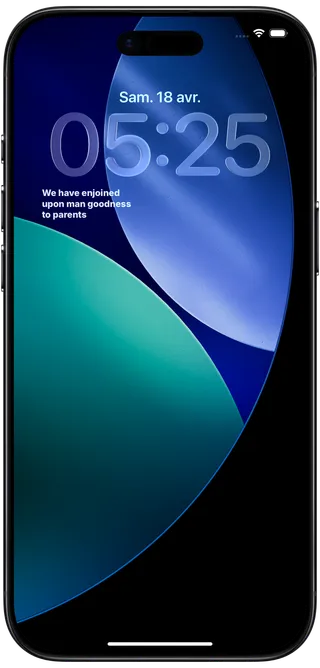
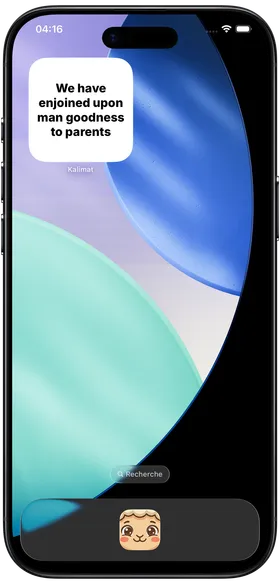
A reminder on your lock screen
On iPhone, add Kalimat to your lock screen. Each time you check the time, you see a short reminder that refreshes automatically throughout the day.
They read Kalimat every day
Reviews left on the App Store and Google Play after weeks of use.
Islamic widgets on your home screen
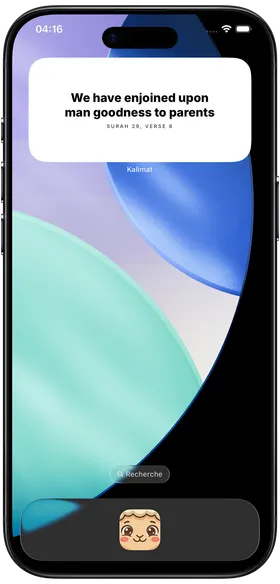
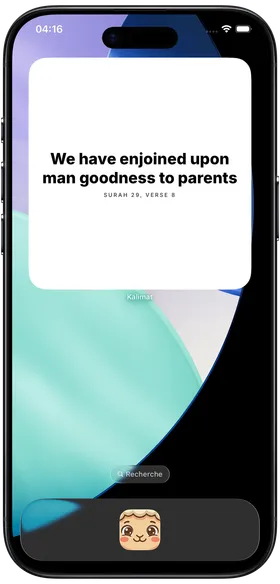
Keep the Quran and Sunnah in view with Kalimat widgets on your home screen. Widgets refresh automatically and open the content directly in the app.
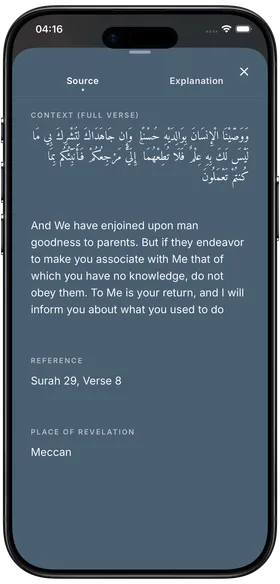
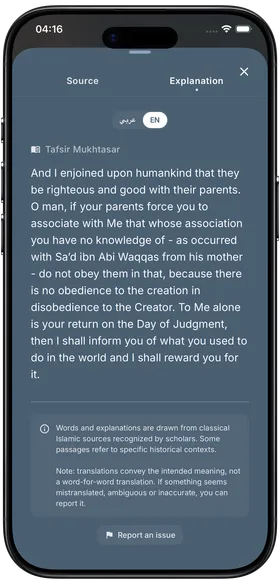
Read, then understand
Every quote can be explored further. You get its source, its reference and its explanation, and for Quran verses an entry point to trusted tafsir along with the context that helps understanding.
The right reminder at the right time
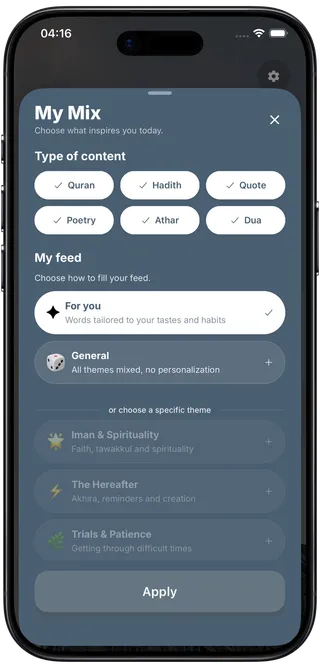
Browse thematic Islamic collections based on what you are living through. Patience, gratitude, family, marriage, work, money, health, repentance, tawakkul, death and the hereafter.
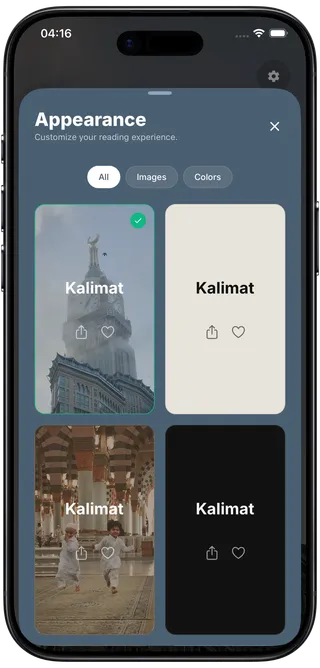
An interface that is beautiful and readable
Kalimat is built to be opened often. Refined visual themes, comfortable reading, clean contrast and a peaceful atmosphere by day and by night.
The Islamic app built for daily life
Quran, hadith, supplications, widgets, reminders and tafsir. Everything is designed to bring you back to remembrance, simply.
-
A feed full of reminders
Scroll through Quran verses, hadith, supplications, athar, scholars' sayings and Arabic poetry. No ads, no distractions, and new content added regularly.
-
Widgets on iPhone and Android
Add Kalimat to your home screen on iPhone and Android, and to your lock screen on iPhone. The reminder stays visible without opening the app.
-
Several visual themes
Choose the atmosphere that suits you and make reading more pleasant every time you open the app, without sacrificing legibility.
-
Collections by topic
Find reminders related to patience, family, marriage, gratitude, hardship, prayer, repentance or the hereafter in seconds.
-
Tafsir, sources and context
Go deeper into every quote with its references and explanations, and for verses with the context that genuinely helps understanding.
-
Reminder notifications
Receive timely Islamic reminders to stay connected to the Quran, the Sunnah and the words of the scholars.
What to know before you install
Answers to the questions we get most often. If yours is missing, get in touch.
Is Kalimat free?
Yes. Downloading and daily reading are free, with no scrolling limit and no ads. The free version gives access to Quranic verses and hadith, to two visual themes, to one reminder per day and to the widget with a daily refresh. An optional subscription opens the rest, and the app remains fully usable without it.
What does the subscription unlock, and what does it cost?
It opens the other quote categories, supplications, scholars, companions, athar and poetry, a feed adapted to your preferences, every visual theme and icon, widget personalization and more reminders per day. In France it costs €11.99 per month or €49.99 per year, taxes included. Prices vary by country, and the one displayed before purchase is the one charged.
How does the 7-day free trial work?
The trial lasts seven days and can only be used once. The subscription screen always states, before purchase, whether the trial applies to the plan you selected. Without cancellation at least 24 hours before it ends, the paid subscription starts automatically at the displayed price.
Does the app show ads?
No. Kalimat shows no ads, neither on launch nor while you read. Religious content deserves a calm reading space, without banners or interstitials.
Which devices does Kalimat support?
Kalimat is available on iPhone through the App Store and on Android through Google Play. Home screen widgets work on both platforms. Lock screen widgets are iPhone-only, as Android offers no official equivalent.
How do I add a Kalimat widget to my home screen?
On iPhone, press and hold an empty area of the home screen, tap the add button in the top left, search for Kalimat and pick the widget size you want. On Android, press and hold the home screen, open the widget list and drag the Kalimat widget where you want it.
Can I schedule reminders at specific times?
Yes. You choose the frequency and the time ranges in the settings, and you can turn everything off at any time. The free version receives one reminder per day, the subscription allows more.
Does Kalimat work offline?
Partly. The most recently loaded quotes stay readable offline, along with the favorites you have already opened. A connection is still needed to load new content and to save what you like.
Where does the content come from?
Verses come from the Quran, hadith from recognised collections, and athar as well as scholars' sayings always carry their reference. Every item displays its source, and verses link to established tafsir so nothing is read out of context.
Which languages are supported?
The interface is available in English, French and Arabic. Original texts are shown in Arabic alongside their translation in the language you choose.
Do I need an account, and what if I change phone?
No account is required, no email and no password. On first launch the app generates an anonymous identifier tied to your device. When you change phone, your subscription is restored from your App Store or Google Play account, but favorites and preferences stay attached to the original device.
How do I cancel my subscription or get a refund?
Cancelling takes a few taps, on iPhone in Settings then your Apple ID then Subscriptions, on Android in Google Play then Subscriptions. You keep access until the end of the period already paid for. Since payments are collected by Apple and Google, refund requests go to them and not to us.
What happens when my subscription ends?
The app stays usable, it simply returns to the free version. The options reserved for the subscription, themes, icons, categories and frequencies, revert to their free equivalent, and the app tells you what changed. Your favorites and your streak are not erased.
How is my data used, and can I delete it?
Kalimat neither sells nor rents personal data. The answers you give during setup stay on your device and are never sent. What reaches our servers is limited to your favorites, your content preferences and your subscription status, tied to an anonymous identifier. A button in the settings erases everything, and audience measurement can be turned off in the same place.
Install Kalimat today
Find Islamic reminders to read, understand and revisit every day, on iPhone as well as Android.